10X Figma Prototyping Workflow
Created a 10X Figma Prototyping Workflow using Figma Make AI Tool.
FigmaAIPrototyping
ToolsFigma Make, Claude Code
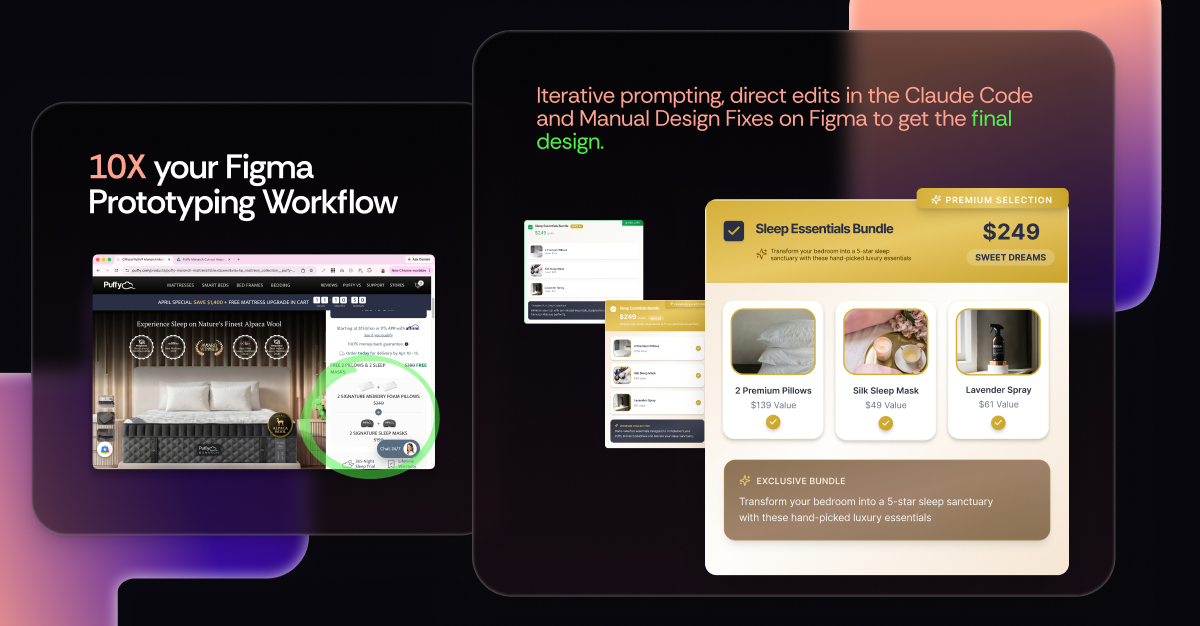
10X Figma Prototyping Workflow
Overview
Goal: Redesigning the ‘Free Product Bundle’ offering on Puffy.com to shift the user perception from a "standard promo" to a "premium, high-value upgrade" that feels like best value deal.
Process:
- Precision Prompting: I used Figma Make AI by providing specific "foundation blocks"—detailing Content, Interaction, and Visual Aesthetics rather than asking for a generic layout.
- Manual Brand Guardrails: Instead of letting AI guess, I manually extracted and provided the exact Puffy brand color palette (#2A2F47, #A98841, etc.) to ensure immediate brand cohesion.
- The UX Audit: I treated the AI’s first draft as a prototype, running a rigorous "Pros & Cons" audit to identify logic gaps (like the "Save $0" pill) and mental model confusion.
- Hybrid Refinement: I partnered with Claude Code for direct edits and performed manual Figma fixes to polish the final UI.
Impact:
- Speed: Reached a production-grade final design 10X faster than traditional manual workflows.
- Quality: Achieved a "Premium Selection" feel that aligns perfectly with luxury e-commerce standards.
- Scalability: Created a repeatable framework for using AI as a "thinking partner" rather than just a "generating tool."
Loading PDF...
Important Tips
To ensure website is SEO friendly, accessible, easily modifiable and scalable, you can implement specific Logic Rules and Skills:
- Context is King: AI is only as sophisticated as your prompt. Specify your inputs, expected outputs, and constraints clearly.
- Don't Outsource Your Eyes: Always run a heuristic check on AI outputs. AI can handle the "labor," but you must handle the "logic."
- Feed the System: Provide your design system or brand guidelines manually. It saves tokens and prevents hallucinated styles.
- Iterate, Don't Just Regenerate: Use AI to fix specific parts of a design rather than asking for a total redo every time.