Speculative Redesign of Google Flow, a generative AI video editing tool
Created a speculative redesign of Google Flow, a generative AI video editing tool to enhance creative workflows.
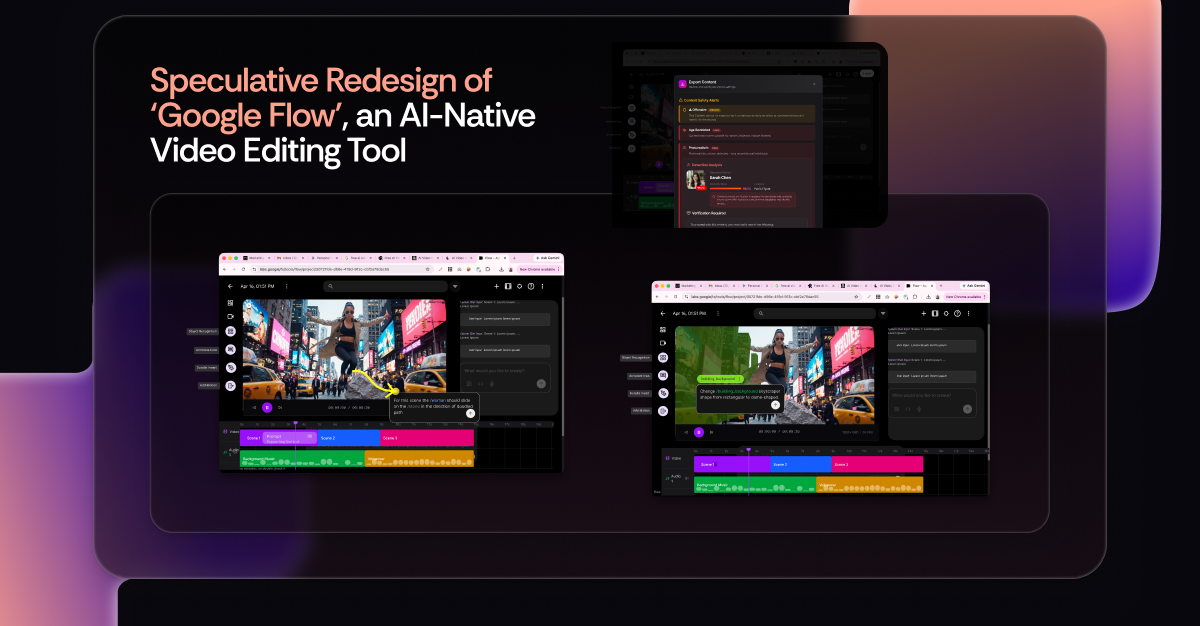
Overview
In this post, I will be sharing my explorations on generative AI tools, specifically on the speculative redesign of 'Google Flow', an AI-Native Video Editing Tool
I recently took a hands-on approach, leveraging frontier AI models like Veo, Nanobanana, and other Generative AI tools, to explore how we can elevate video editing for filmmakers, marketers, animators, and VFX artists. I redesigned the interface to bridge the gap between the "Tools We Have" and the "Tools We Need" to truly empower creatives in an AI-powered world. Here's a deep dive into my process and key highlights of this AI-native redesign:
Goal: To explore how might we enhance generative AI video editing capabilities for creatives with Google Flow?
Process: I began by diving into Google Flow, creating a 30-second video ad with a rough script to experience its current capabilities firsthand and conduct a thorough UX audit. Based on this and extensive research on real user needs and AI models technical capabilities, I came up with feature maps and prototyped a new AI-native video editing interface for Google Flow.
Impact: I created a new AI-native video editing interface for Google Flow that is more intuitive, sustainable, efficient, and provides creatives greater control and creative freedom with precision.
Detailed Process
1. The Current State UX Audit (Roleplaying as a Marketing Ad Campaign Designer for a Sunglasses company):
I began by diving into Google Flow, creating a 30-second video ad with a rough script to experience its current capabilities firsthand and conduct a thorough UX audit.
2. Background Research: Top-down & Bottom-up Approaches
My core question: 'How might we enhance generative AI video editing capabilities for creatives with Google Flow?' I combined:
- Top-down: Extensive research on real user needs across filmmaking, marketing, animation, VFX, and virtual production.
- Bottom-up: Identifying functions achievable with current AI models like Image Segmentation, LLMs, Generative AI Image Creation, 3D Object AI Generation, and advanced motion animation (Genie Model, Gemini Robotics).
By mapping these, I found the intersection of viable features that create real user impact.
3. AI-Native Product UX Design — Redesign Highlights:
- Object Recognition & Tweaking: Imagine effortlessly isolating and manipulating elements within your video with AI precision.
- Multimodal, Intuitive Interaction: Human-like interactions (doodling, select area, pointing objects) for seamless control and utilization of generative AI tools.
- Error Handling with Implicit & Explicit Feedback: Intelligent systems that guide users and learn from their actions.
- AI Guardrails & Bad Actors Check: Robust mechanisms for identifying and mitigating offensive, age-restricted, sensitive, or harmful content.
- Design for Sustainable AI Usage (Planning Mode): 'Planning Phase' to address heavy token usage, providing options for iterations and refine outcomes before high-resolution rendering, significantly reducing AI token expenditure.
- Privacy & Security: Multi-factor consent forms and advanced deepfake prevention.
- Credibility & Plagiarism-Combat: AI fingerprinting, watermarking, and co-creation badges to ensure authenticity and attribution.